

Description
Download ATO Tax Calculator – PAYG, tax calculator, Australian tax, income tax, tax tables, PAYG withholding, tax estimation, ATO guidelines
Overview
The ATO Tax Calculator is a lightweight Android application developed by Bright Purple Frog, designed to assist users in estimating basic Pay As You Go (PAYG) withholding amounts based on current Australian Tax Office (ATO) tax tables. The app serves as a straightforward tool for individuals who need to quickly determine their tax liabilities or gross income requirements under standard PAYG assumptions. It is particularly useful for job seekers evaluating new employment offers, freelancers estimating their tax obligations, or employees preparing for tax season. The software does not replace professional tax advice but provides a reliable starting point for financial planning.
By leveraging official ATO guidelines, the application ensures its calculations align with the latest tax brackets and withholding rates. Users can input known values—such as gross income or tax withheld—and the app automatically computes the missing figures. This functionality supports quick decision-making in personal finance scenarios, such as comparing take-home pay across different salary levels or assessing the impact of additional income. The app is intended for general use and does not account for complex tax factors like deductions, offsets, or multiple employment sources.
Key Features & Capabilities
- Real-time PAYG withholding estimation – Calculates the amount of tax withheld from income based on current ATO tax tables.
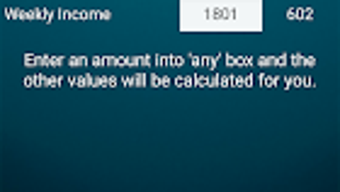
- Dynamic input fields – Allows users to enter any known value (e.g., gross income, tax paid) and automatically computes the remaining figures.
- Compliance with ATO guidelines – Uses official Australian tax tables to ensure accuracy in calculations.
- Simple, intuitive interface – Designed for quick access and minimal learning curve.
- Offline functionality – Operates without requiring an internet connection after installation.
These features make the app ideal for on-the-go financial planning. For example, a job candidate can input a proposed salary and instantly see the estimated tax deduction and net pay. Similarly, a contractor can assess how much tax they should set aside from each payment. The app’s ability to reverse calculations—such as determining the required gross income to achieve a specific net amount—adds practical value for budgeting and financial forecasting.
User Interface, Workflow & Performance
The ATO Tax Calculator features a clean, minimalistic interface optimized for mobile use. Navigation is straightforward, with clearly labeled input fields for gross income, tax withheld, and net pay. The layout is designed to minimize user effort, allowing quick data entry and immediate results. The app responds promptly to input changes, updating calculations in real time without noticeable lag.
Performance details were not specified by the developer. However, given its small file size of 1.5 MB and focus on basic arithmetic operations, it is expected to run efficiently on most Android devices. The app does not require background processes or high system resources, which supports stable operation across a range of hardware configurations. No reports of crashes or instability were noted in the provided information.
Compatibility & System Requirements
The ATO Tax Calculator is designed for Android devices. The application supports the latest Android operating system versions, though specific compatibility details were not provided. Installation requires approximately 1.5 MB of storage space, making it suitable for devices with limited capacity. The developer did not specify minimum hardware requirements such as RAM or processor speed.
Exact system requirements were not listed. Platform compatibility information is limited to the Android platform. Users should ensure their device meets general Android app compatibility standards. The app does not appear to require special permissions beyond basic functionality, though detailed permission details were not included.
Pros and Cons
Pros
- Free to download and use
- Based on official ATO tax tables
- Simple, fast, and intuitive interface
- Supports offline use
- Dynamic calculation engine for flexible input
Cons
- Limited to basic PAYG assumptions
- Does not account for deductions, offsets, or multiple income sources
- No advanced tax planning features
- Information on system requirements is minimal
- App lacks detailed user guidance or tutorials
FAQ Section
Is ATO Tax Calculator available for iOS devices?
The app is currently available only for Android. No information was provided regarding iOS compatibility.
Does the app require an internet connection?
No, the ATO Tax Calculator operates offline after installation. It does not need internet access to perform calculations.
How often is the app updated to reflect changes in tax rates?
Updates are not specified in the provided information. Users should check for updates in the Google Play Store to ensure alignment with the latest ATO guidelines.
Is the app safe to use?
As a free app from a known developer, Bright Purple Frog, and based on official ATO data, the app is considered secure for general use. However, users should always verify critical financial decisions with a qualified tax professional.
Can I use this app for business tax calculations?
The app is designed for personal PAYG estimation only. It does not support business-related tax scenarios, such as GST, business deductions, or company tax rates.
Final Thoughts
The ATO Tax Calculator offers a practical, no-frills solution for estimating basic PAYG withholding in Australia. Its reliance on official ATO tax tables ensures reliable results for straightforward scenarios, while its simple interface makes it accessible to users without tax expertise. Though it lacks advanced features and does not handle complex tax situations, it serves as a valuable tool for preliminary financial planning. For individuals seeking a quick, free, and accurate way to estimate tax deductions or net income, this app delivers on its core promise. Download ATO Tax Calculator now.
Guides & Tutorials for ATO Tax Calculator APK
How to install ATO Tax Calculator APK
- Click the Preview / Download button above.
- Once redirected, accept the terms and click Install.
- Wait for the ATO Tax Calculator APK download to finish on your device.
How to use ATO Tax Calculator APK
This software is primarily used for its core features described above. Open the app after installation to explore its capabilities.
User Reviews for ATO Tax Calculator APK 0
No reviews found





